Sparth Reservoir Panoramic Photos
2nd December 2025

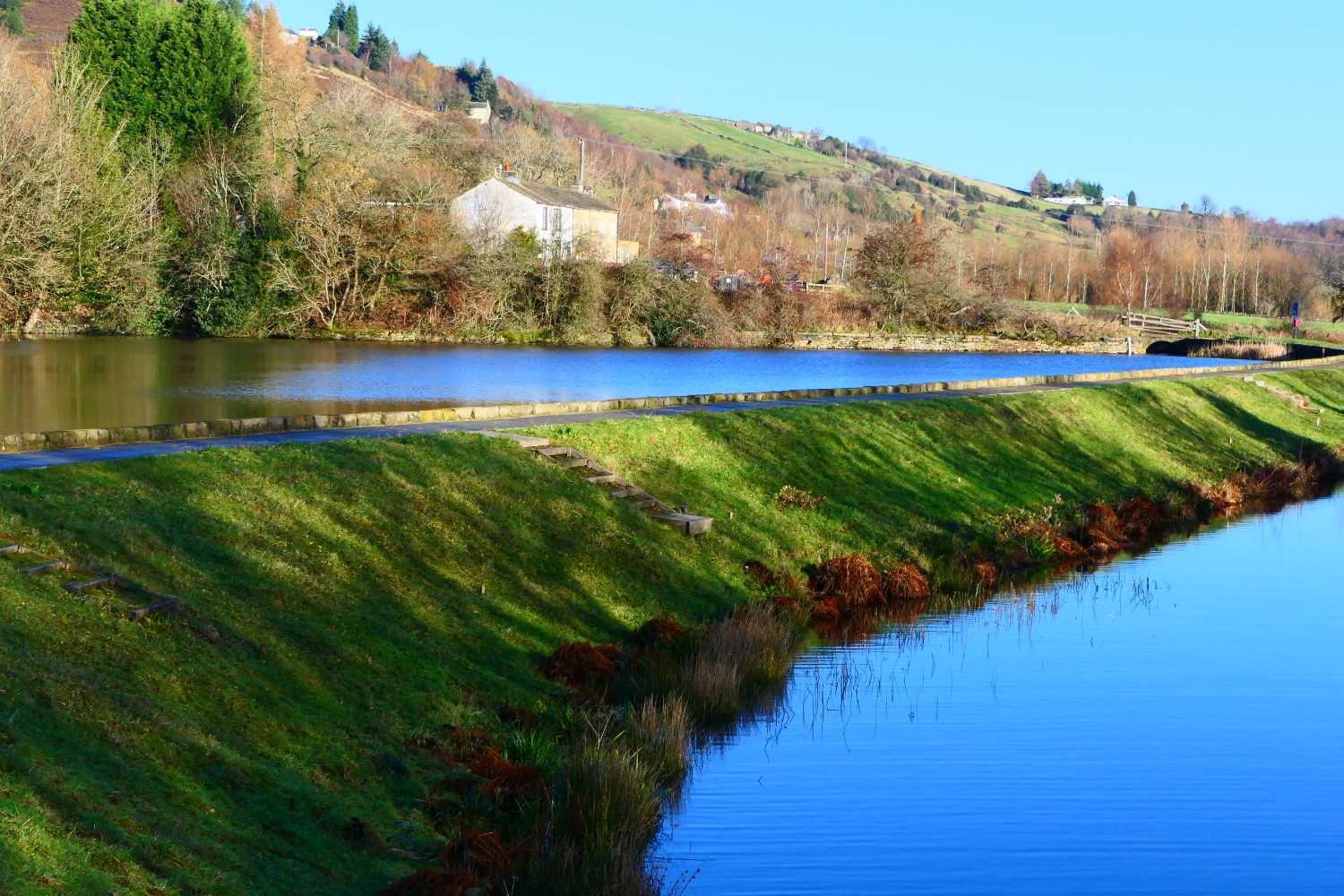
Today I started to experiment with panoramic photos.
The above photo was created from two separate ones, using Affinity Photo 3 to stitch them together. It was very, very easy. The only problem was that it created a jpeg with a file size of 22,741KB, which is far too big for a website. The pixel size of the photo was 7607 by 3391. I used Affinity to reduce it to 4000 by 1783, which made it much more manageable. The file size was further reduced when I created this web page.
I’ll be writing about the issues of using multi-megabyte photos on a website, in the new year.
Both photos were taken with the camera mounted on a tripod. This allowed me to keep the camera on the same horizontal line for each photo. If you are careful, you can also combine handheld shots, I’ll be trying this soon.
This post contains a lot of information about creating panoramic photos.
This post shows you how to create panoramas with Affinity Photo.
The following photo was from the same location but used four photos taken at a much wider angle.

The following photos were used to create the first panoramic photo on this page.
There must be a large overlap between each photo used to create a panorama, 25 to 30 percent is recommended. The photos should also have the same colour temperature and exposure.
The two photos are not ideal as the sun was low on the horizon. The first photo was mainly in sunlight; the second had a large area where the sun was not shining. The first photo had an exposure time of 1/6th second; the second 1/8th second, two different exposures. Zoom and aperture were the same for both.
It’s easy to stitch the photos together. It’s difficult to get the exposures and lighting correct. This post is well worth reading, for techniques on creating panoramic photos.

First Published: 2nd December 2025
Author: Paul Chappell